

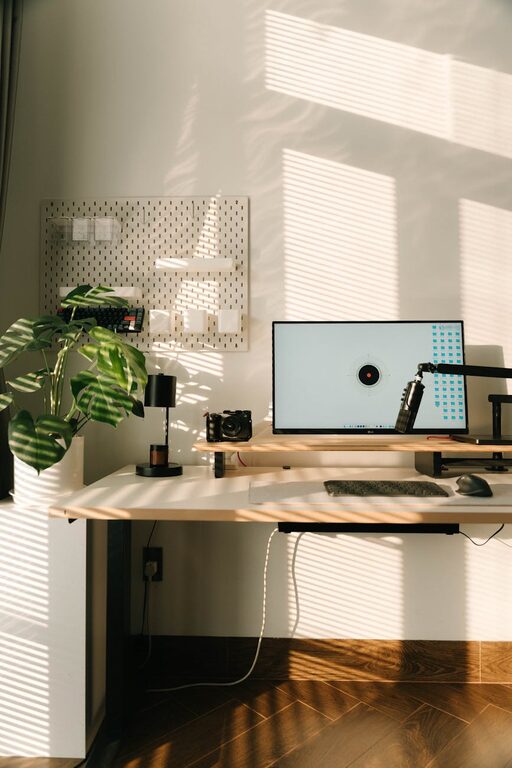
Creating a productive home office environment is essential for anyone working remotely or managing tasks from home. A well-designed workspace can improve focus, comfort, and overall work satisfaction. This guide offers practical tips to help you create a home office that supports your best work.
Choose the Right Location
The foundation of a productive home office starts with selecting the ideal spot. Look for a quiet area with minimal distractions, preferably away from high-traffic zones like the kitchen or living room. Natural light is a bonus—it can enhance mood and reduce eye strain.
Invest in Ergonomic Furniture
Comfort matters when you spend hours working at your desk. Consider these elements:
– Ergonomic Chair: Select a chair with adjustable height, lumbar support, and comfortable padding.
– Desk Height: Your desk should allow your forearms to rest parallel to the floor when typing.
– Monitor Position: Place your monitor at eye level to avoid neck strain.
Proper ergonomics reduce fatigue and prevent discomfort, helping you focus longer.
Organize Your Workspace
Clutter can be distracting. To keep your workspace tidy:
– Use storage solutions such as shelves, drawers, and filing cabinets.
– Keep only essential items on your desk.
– Implement cable management to avoid tangled cords.
– Regularly declutter to maintain a clean environment.
An organized workspace promotes clear thinking and efficiency.
Optimize Lighting
Good lighting is crucial for reducing eye strain and maintaining alertness.
– Maximize natural light by positioning your desk near windows.
– Use adjustable desk lamps with warm light for focused tasks.
– Avoid glare on your screens by angling lights properly.
Balanced lighting creates a comfortable atmosphere conducive to work.
Minimize Noise and Distractions
Background noise can disrupt concentration. To create a quieter environment:
– Use noise-canceling headphones or white noise machines.
– Add soft furnishings like rugs and curtains to absorb sound.
– Inform household members of your working hours to reduce interruptions.
A calm environment helps you stay focused on your tasks.
Personalize Your Space Thoughtfully
Adding personal touches can boost morale but keep it balanced to avoid clutter.
– Display a few meaningful photos or artwork.
– Incorporate plants to improve air quality and add a natural element.
– Choose calming colors that enhance focus, such as blues or greens.
A personalized workspace can increase motivation and comfort.
Establish a Routine and Boundaries
Creating a productive office environment extends beyond physical setup.
– Set regular working hours to create structure.
– Take scheduled breaks to refresh your mind.
– Define boundaries with family or roommates to minimize disturbances.
– Use a separate device or profile for work to separate personal and professional activities.
A clear routine helps maintain productivity and work-life balance.
Use Technology Effectively
Equip your home office with reliable technology to support your work.
– Ensure a strong internet connection to avoid disruptions.
– Use quality headphones and microphone for virtual meetings.
– Utilize productivity apps for task management and time tracking.
Keeping your tech up-to-date can streamline tasks and communication.
Maintain Healthy Habits
Your workspace should support your health and well-being.
– Incorporate standing or movement breaks to reduce sedentary time.
– Keep water nearby to stay hydrated.
– Practice good posture and stretch regularly.
Healthy habits contribute to sustained productivity and reduce fatigue.
—-
By thoughtfully designing your home office with these tips, you create an environment that supports concentration, comfort, and efficiency. Small changes can have a big impact on your daily work experience, helping you stay motivated and productive while working from home.